Viglet Turing ES: Administration Guide
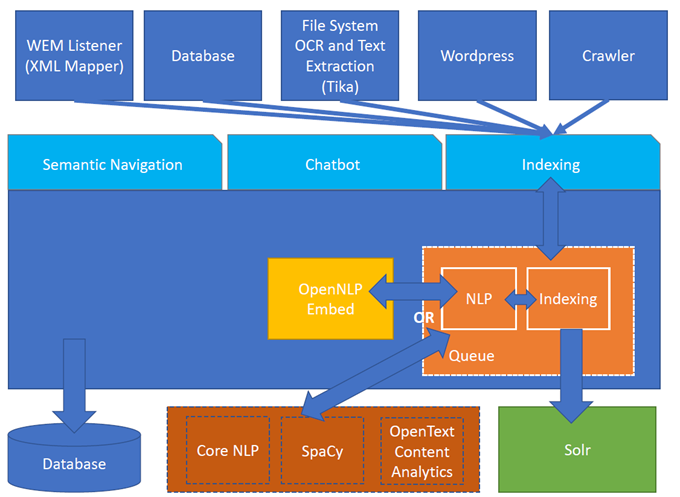
Viglet Turing ES (https://viglet.com/turing) is an open source solution (https://github.com/openviglet), which has Semantic Navigation and Chatbot as its main features. You can choose from several NLPs to enrich the data. All content is indexed in Solr as search engine.
Architecture
NLP
Turing support the following providers:
OpenNLP
Apache OpenNLP is a machine learning based toolkit for the processing of natural language text.
Website: https://opennlp.apache.org/
| Attribute | Description |
|---|---|
| Title | OpenNLP Title |
| Description | Description of OpenNLP |
| Vendor | Select OpenNLP |
| Endpoint URL | This attribute is not used |
| Key | This attribute is not used |
| Enabled | If the OpenNLP is enabled |
OpenText Content Analytics
It transforms data into insights for better decision-making and information management while freeing up resources and time.
Website: https://www.opentext.com/
| Attribute | Description |
|---|---|
| Title | OTCA Title |
| Description | Description of OTCA |
| Vendor | Select OTCA |
| Endpoint URL | Service URL, for example: http://localhost:40000 |
| Key | This attribute is not used |
| Enabled | If the OTCA is enabled |
CoreNLP
CoreNLP is your one stop shop for natural language processing in Java! CoreNLP enables users to derive linguistic annotations for text, including token and sentence boundaries, parts of speech, named entities, numeric and time values, dependency and constituency parses, coreference, sentiment, quote attributions, and relations. CoreNLP currently supports 6 languages: Arabic, Chinese, English, French, German, and Spanish.
Website: https://stanfordnlp.github.io/CoreNLP/
| Attribute | Description |
|---|---|
| Title | CoreNLP Title |
| Description | Description of CoreNLP |
| Vendor | Select CoreNLP |
| Endpoint URL | Service URL, for example: http://localhost:9001 |
| Key | This attribute is not used |
| Enabled | If the CoreNLP is enabled |
SpaCy
It is a free open-source library for Natural Language Processing in Python. It features NER, POS tagging, dependency parsing, word vectors and more.
Website: https://spacy.io
| Attribute | Description |
|---|---|
| Title | SpaCy Title |
| Description | Description of SpaCy |
| Vendor | Select SpaCy |
| Endpoint URL | Service URL, for example: http://localhost:2800 |
| Key | This attribute is not used |
| Enabled | If the SpaCy is enabled |
Polyglot NLP
Polyglot is a natural language pipeline that supports massive multilingual applications.
Website: https://polyglot.readthedocs.io
| Attribute | Description |
|---|---|
| Title | Polyglot Title |
| Description | Description of Polyglot |
| Vendor | Select Polyglot |
| Endpoint URL | Service URL, for example: http://localhost:2810 |
| Key | This attribute is not used |
| Enabled | If the Polyglot is enabled |
Google Cloud Platform NLP
Analyze text with ES using pre-trained API or custom AutoML machine learning models to extract relevant entities, understand sentiment, and more.
Website: https://cloud.google.com/natural-language
| Attribute | Description |
|---|---|
| Title | GCP NLP Title |
| Description | Description of GCP NLP |
| Vendor | Select Google Cloud Platform NLP |
| Endpoint URL | Service URL, for example: https://language.googleapis.com/v1/documents:analyzeEntities |
| Key | Key of Google Cloud Platform NLP |
| Enabled | If the GCP NLP is enabled |
Documents and OCR
It can read PDFs and Documents and convert to plain text and also it uses OCR to detect text in images and images into documents.
Semantic Navigation
Connectors
Semantic Navigation uses Connectors to index the content from many sources.
Apache Nutch
Plugin for Apache Nutch to index content using crawler.
Learn more at Connectors
Database
Command line that uses the same concept as sqoop (https://sqoop.apache.org/), to create complex queries and map attributes to index based on the result.
Learn more at Connectors
File System
Command line to index files, extracting text from files such as Word, Excel, PDF, including images, through OCR.
Learn more at Connectors
OpenText WEM Listener
OpenText WEM Listener to publish content to Viglet Turing.
Wordpress
Wordpress plugin that allows you to index posts.
Learn more at Connectors
Named Entity Recognition (NER)
With NLP it is possible to detect entities such as:
- People
- Places
- Organizations
- Money
- Time
- Percentage
Facets
Define attributes that will be used as filters for your navigation, consolidating the total content in your display.
Targeting Rules
Through attributes defined in the contents, it is possible to use them to restrict their display based on the user's profile.
SDK Java
Java API (https://github.com/openviglet/turing-java-sdk) facilitates the use and access to Viglet Turing ES, without the need for consumer search content with complex queries.
Chatbot
Communicate with your client and elaborate complex intents, obtain reports and progressively evolve your interaction.
Agent
Handles conversations with your end users. It is a natural language processing module that understands the nuances of human language.
Intent
An intent categorizes an end user's intention for taking a conversation shift. For each agent, you define several intents, where your combined intents can handle a complete conversation.
Actions
The field of action is a simple field of convenience that helps to execute logic in the service.
Entity
Each intent parameter has a type, called an entity type, that dictates exactly how the data in an end user expression is extracted.
Training
Defines and corrects intents.
History
Shows the conversation history and reports.
OpenText Blazon Integration
Turing ES detects Entities of OpenText Blazon Documents using OCR and NLP, generating Blazon XML to show the entities into document.
Turing ES Console
Turing ES has many components: Search Engine, NLP, Converse (Chatbot), Semantic Navigation.
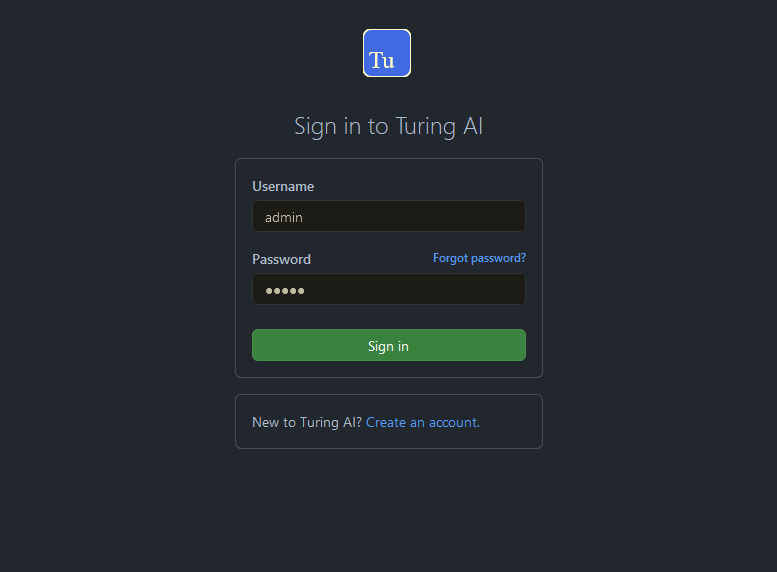
Login
When access the Turing ES, appear a login page. For default the login/password is admin/admin.
Search Engine
Configuration
Search Engine is used by Turing to store and retrieve data of Converse (Chatbot) and Semantic Navigation Sites.
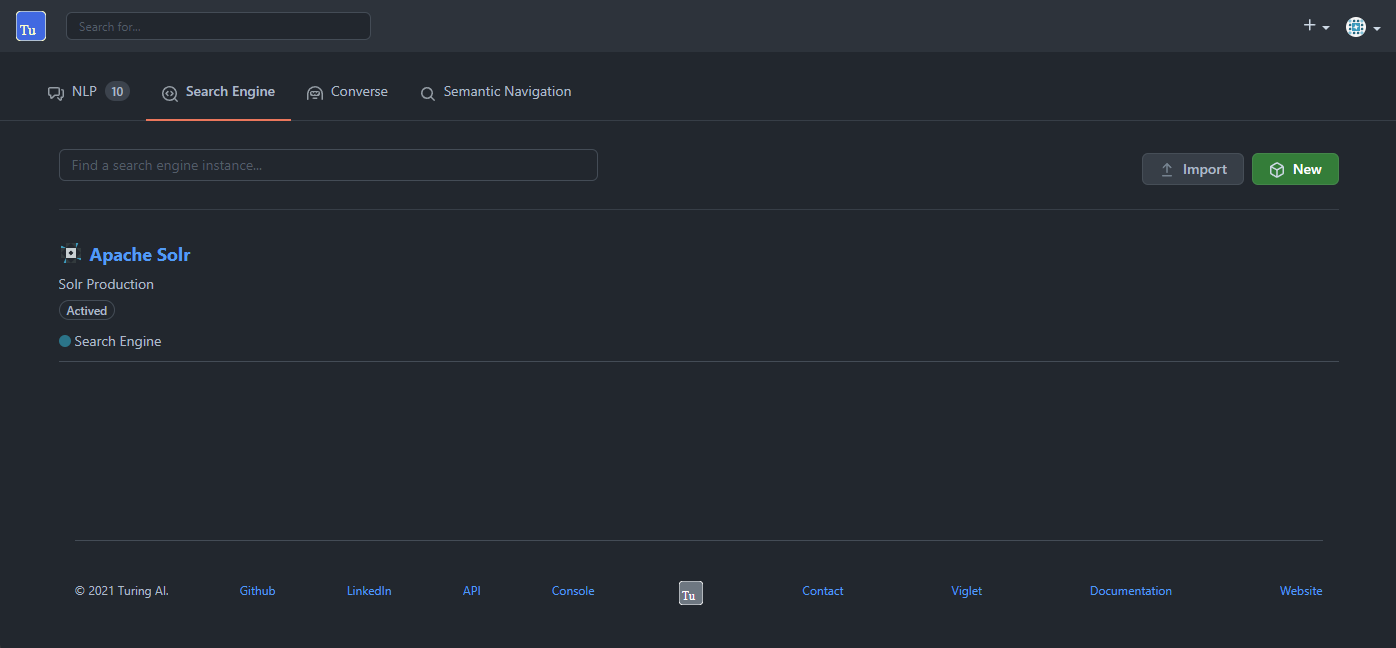
It is possible create or edit a Search Engine with following attributes:
| Attribute | Description |
|---|---|
| Name | Name of Search Engine |
| Description | Description of Search Engine |
| Vendor | Select the Vendor of Search Engine. For now it only supports Solr |
| Host | Host name where the Search Engine service is installed |
| Port | Port of Search Engine Service |
| Enabled | If the Search Engine is enabled |
Semantic Navigation
Configuration
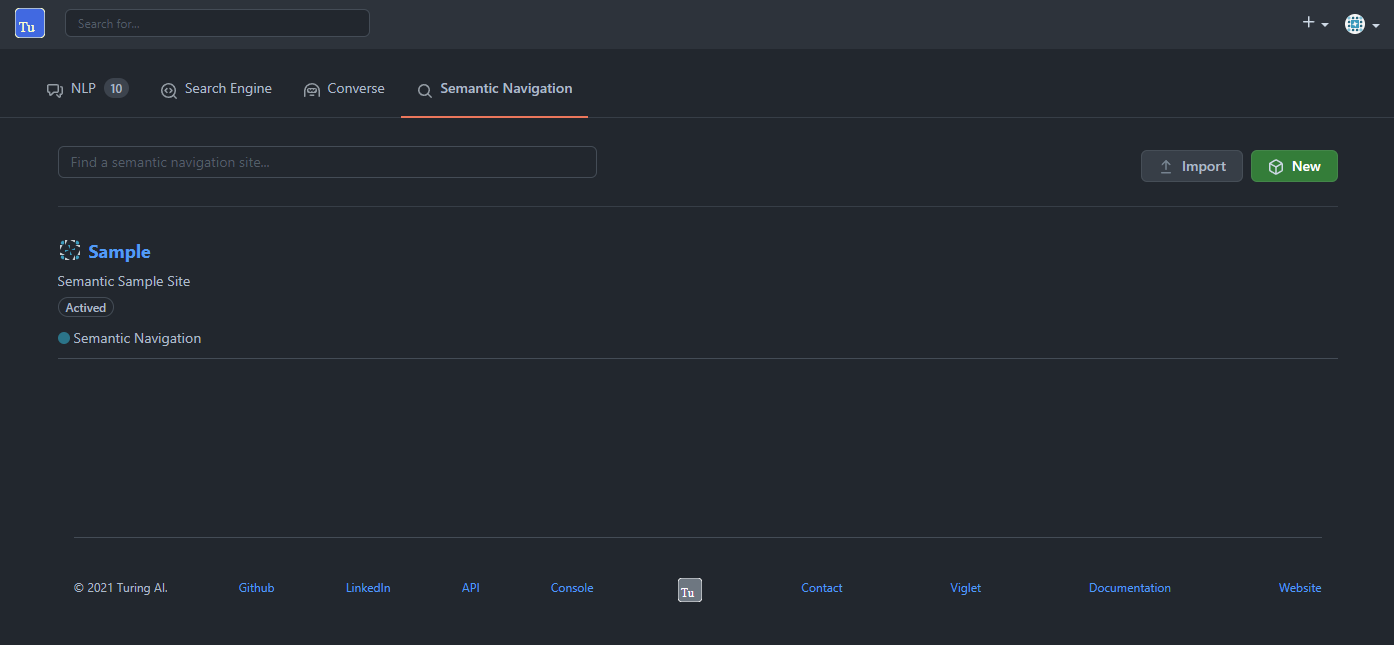
Settings Tab
The Settings of Semantic Navigation Site contains the following attributes:
| Attribute | Description |
|---|---|
| Name | Name of Semantic Navigation Site |
| Description | Description of Semantic Navigation Site |
| Search Engine | Select the Search Engine that was created in Search Engine Section |
| NLP Vendor | NLP Vendor for this site |
| Thesaurus | If will use Thesaurus |
Multi Languages Tab
| Attribute | Description |
|---|---|
| Language | Language for Semantic Navigation Site |
| NLP Instance | NLP Instance to detect entities during indexing |
| Core | Solr Core Name to store and to search indexed content |
Behavior Tab
| Section | Attribute | Description |
|---|---|---|
| Behavior | Number of items per page | Number of items that will appear in search |
| Facet | Facet enabled | If it will show Facet (Filters) on search |
| Facet | Number of items per facet | Number of items that will appear in each Facet |
| Highlighting | Highlighting enabled | Define whether to show highlighted lines |
| Highlighting | Pre Tag | HTML Tag for begin of term. For example: <mark> |
| Highlighting | Post Tag | HTML Tag for end of term. For example: </mark> |
| Did you mean? | "Did you mean?" enabled | Use "did you mean?" feature |
| Did you mean? | Always show corrected term | If misspelled, shows search with corrected term |
| MLT | More Like This enabled? | Define whether to show MLT |
| Default Fields | Title | Field used as title in Solr schema |
| Default Fields | Text | Field used as text in Solr schema |
| Default Fields | Description | Field used as description in Solr schema |
| Default Fields | Date | Field used as date in Solr schema |
| Default Fields | Image | Field used as Image URL in Solr schema |
| Default Fields | URL | Field used as URL in Solr schema |
Merge Providers Details Tab
| Section | Attribute | Description |
|---|---|---|
| Providers | Source | Name of Source Provider |
| Providers | Destination | Name of Destination Provider |
| Relations | Source | Relation Identifier of Source Provider |
| Relations | Destination | Relation Identifier of Destination Provider |
| Description | Description | More about merge providers |
| Overwritten Fields | Name | Name of Source Field that overwrites destination field |
Fields Tab
Fields Tab contains a table with the following columns:
| Column Name | Description |
|---|---|
| Type | Type of Field: NER (Named Entity Recognition) or Search Engine (Solr) |
| Field | Name of Field |
| Enabled | If the field is enabled |
| MLT | If this field will be used in MLT |
| Facets | To use this field like a facet (filter) |
| Highlighting | If this field will show highlighted lines |
| NLP | If this field will be processed by NLP to detect Entities |
When clicking a Field, a details page appears with:
| Attribute | Description |
|---|---|
| Name | Name of Field |
| Description | Description of Field |
| Type | INT, LONG, STRING, DATE or BOOL |
| Multi Valued | If is an array |
| Facet Name | Label of Facet on Search Page |
| Facet | To use this field like a facet |
| Highlighting | If this field will show highlighted lines |
| MLT | If this field will be used in MLT |
| Enabled | If the field is enabled |
| Required | If the field is required |
| Default Value | Default value if content is indexed without this field |
| NLP | If this field will be processed by NLP |
Spotlight Details Tab
| Attribute | Description |
|---|---|
| Name | Spotlight Name |
| Description | Spotlight Description |
| Terms | If any of these terms are searched, documents display as spotlights |
| Indexed Documents | Documents that display as spotlights for search terms |
Top Search Terms Tab
During search, Turing ES saves information about search terms and generates Top Search Terms reports.
There are the following reports: Today, This Week, This Month and All Time. These reports show the first 50 terms and statistics about the period.
Search Page
HTML
In Turing ES Console > Semantic Navigation > <SITE_NAME> > Multi languages > click in Open Search button of some language.
It will open a Search Page that uses the pattern:
GET http://localhost:2700/sn/<SITE_NAME>