Viglet Turing ES: Developer Guide
Viglet Turing ES (https://viglet.com/turing) is an open source solution (https://github.com/openviglet), which has Semantic Navigation and Chatbot as its main features. You can choose from several NLPs to enrich the data. All content is indexed in Solr as search engine.
More Documentation
Technical documentation on Turing ES is available at https://docs.viglet.com/turing.
Open Source Development
You can collaborate with Turing, participating in its development. Below are the steps to create your Turing environment.
Development Structure
Frameworks
Turing ES was developed using Spring Boot for its backend.
The UI is currently using AngularJS, but a new UI is being developed using Angular 12 with Primer CSS.
In addition to Java, you also need to have Git and NodeJS installed.
Databases
By default it uses the H2 database, but can be changed to other databases using Spring Boot properties. It comes bundled with OpenNLP in the same JVM.
Programming Language and Deploy
It uses Java 21 and its deployment is done with Maven and works on Unix and Windows.
Docker
To use Semantic Navigation and Chatbot you must have a Solr service available. If you prefer to work with all the services Turing depends on, you can use docker-compose to start these services, we use the Docker Desktop installed on computer.
IDE
You can use Spring Tools 4 for Eclipse or Eclipse or Visual Studio Code or IntelliJ as IDEs.
Download
Use the git command line to download the repository to your computer.
Turing Server and Connectors
git clone https://github.com/openviglet/turing.git
Run during Development
To run Turing ES, execute the following lines:
Turing Server
Development
With UI
cd turing
mvn spring-boot:run -pl turing-app
Without update UI
cd turing
mvn spring-boot:run -pl turing-app -Dskip.npm
New Turing UI
Start the Turing Server using dev-ui profile:
cd turing
mvn spring-boot:run -pl turing-app -Dskip.npm -Dspring-boot.run.profiles=dev-ui
And start one of the components of turing-ui:
cd turing/turing-ui

## Console
ng serve console

## Search
ng serve sn

## Chatbot
ng serve converse

## Welcome
ng serve welcome
You need to start the Turing Server and Solr first.
Build
cd turing
mvn clean install
mvn package -pl turing-app
Java SDK
Development
cd turing-java-sdk
mvn package
java -cp build/libs/turing-java-sdk-all.jar com.viglet.turing.client.sn.sample.TurSNClientSample
You need to start the Turing Server and Solr first.
Build
cd turing-java-sdk
mvn package
Or use jitpack in your project at https://jitpack.io/#openviglet/turing-java-sdk
WEM Listener
cd turing
mvn package -pl turing-wem
For development, copy the turing-wem/build/libs/turing-wem-all.jar into WEM_DIR/libs and test the listener using turing-wem command line.
Database Connector
cd turing
mvn package -pl turing-db
Filesystem Connector
cd turing
mvn package -pl turing-filesystem
Nutch
Nutch 1.20
cd turing/
mvn package -pl turing-nutch1_20
URLs
Turing Server
- Administration Console: http://localhost:2700 (admin/admin)
- Semantic Navigation Sample: http://localhost:2700/sn/Sample
New Turing UI
- Welcome: http://localhost:4200/welcome
- Console: http://localhost:4200/console
- Search Page: http://localhost:4200/sn/template?_setsite=Sample&_setlocale=en_US
- Converse: http://localhost:4200/converse
Docker Compose
- Administration Console: http://localhost (admin/admin)
- Semantic Navigation Sample: http://localhost/sn/Sample
- Solr: http://localhost:8983
Code Quality
You can check the quality of Turing Code at:
REST API
API Overview
Turing ES offers a variety of robust, convenient, and simple RESTful Web service APIs to integrate data from Turing to any external system. Through Turing's API, your developers can create Web applications to interact directly with data that resides in Turing. Among the available features include RESTful APIs using JSON format, authentication via API Key invoking the existing user-level governance and security model built into Turing as well as a developer to manage access to API documentation and API keys. We have APIs to deliver search and cognitive features.
OpenAPI 3.0
The OpenAPI Specification (OAS) defines a standard, language-agnostic interface to HTTP APIs which allows both humans and computers to discover and understand the capabilities of the service without access to source code, documentation, or through network traffic inspection.
Turing OpenAPI 3.0 is available at http://localhost:2700/v3/api-docs.
Swagger
Swagger allows you to describe the structure of your APIs so that machines can read them.
You can access the Turing API documentation and test it directly using Swagger at http://localhost:2700/swagger-ui.html.
Generate an API Key
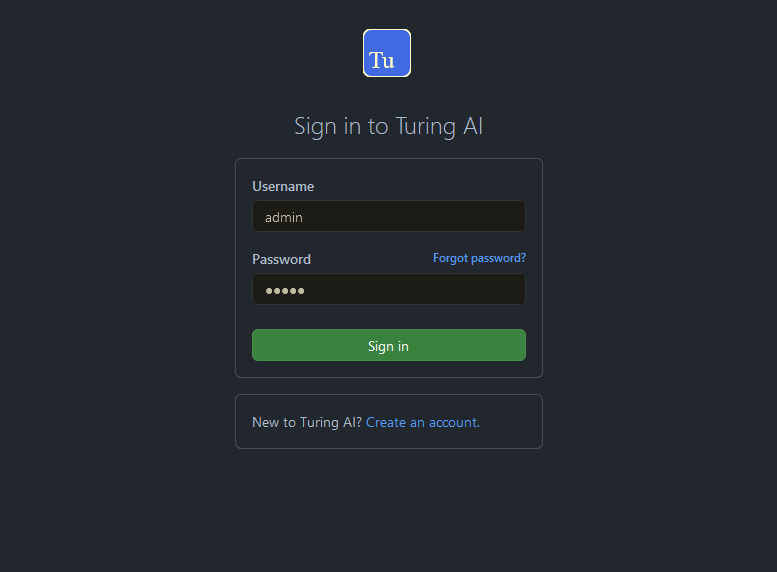
Step 1
Sign in Turing Administration Console (http://localhost:2700).
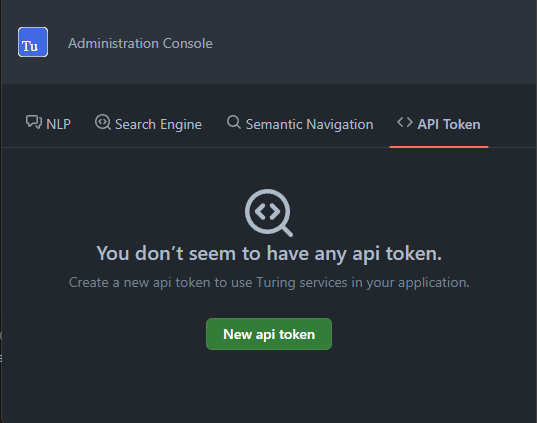
Step 2
Access API Token Section.
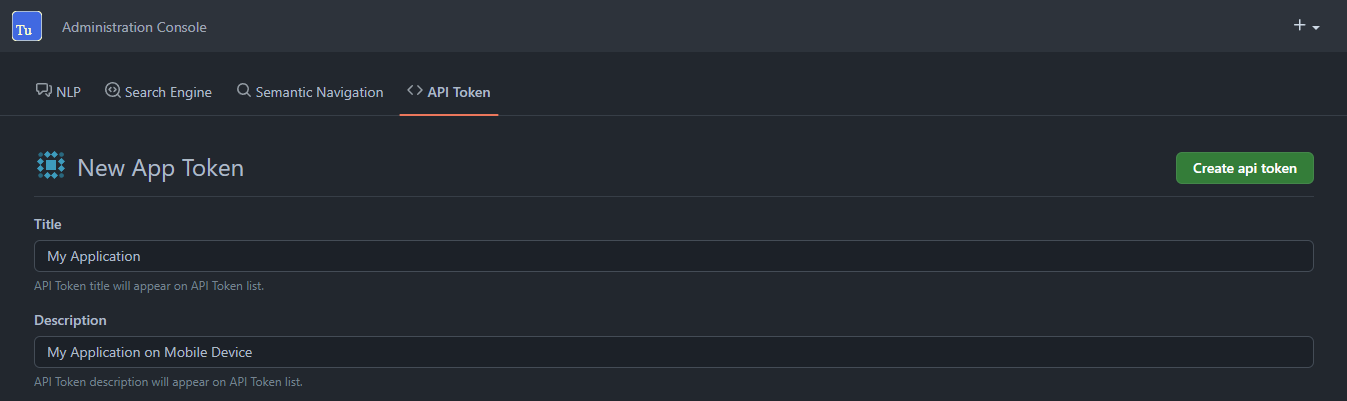
Step 3
Create a new API Token with Title and Description.
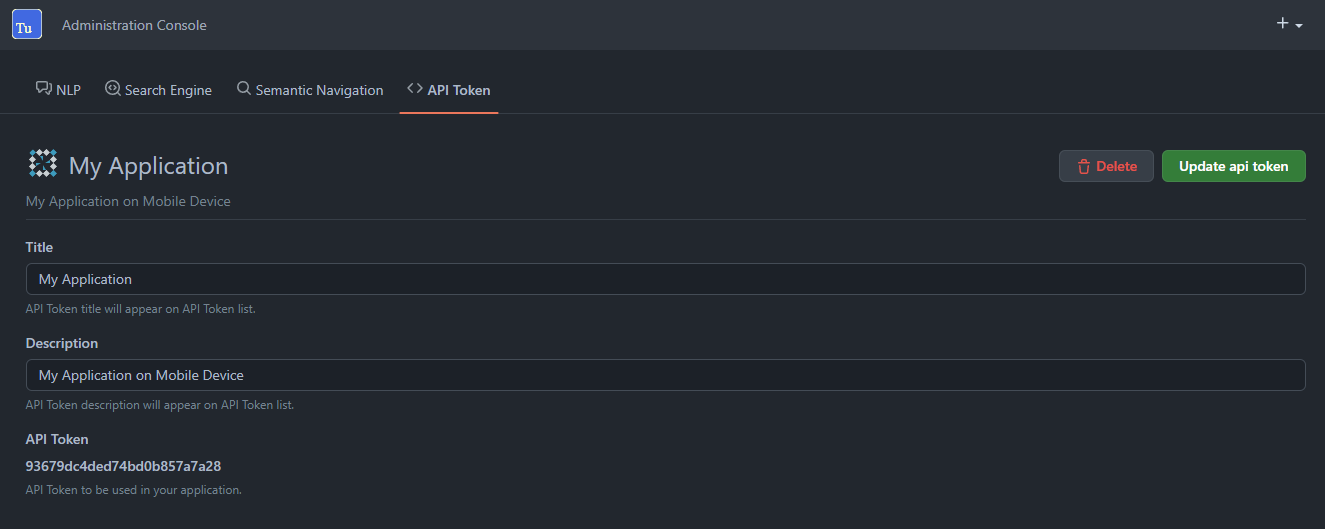
Step 4
Will be create a new random API Token.
Semantic Navigation
Search
GET|POST http://localhost:2700/api/sn/{{siteName}}/search
Query Parameters:
| Parameter | Required | Description |
|---|---|---|
q | Yes | Search query |
p | No | Page number (default: 1) |
rows | No | Number of results per page |
_setlocale | Yes | Locale (e.g., en_US) |
sort | No | Sort field and order |
fq[] | No | Filter query |
tr[] | No | Targeting rules |
group | No | Group by field |
Example:
curl -X GET "http://localhost:2700/api/sn/Sample/search?q=foo&p=1&_setlocale=en_US&rows=10" \
  -H "accept: application/json" \
  -H "content-type: application/json" \
  -H "authorization: Bearer <API_KEY>"
Latest Searches
POST http://localhost:2700/api/sn/{{siteName}}/search/latest
Returns last terms searched by user.
Parameters:
| Parameter | Required | Description |
|---|---|---|
q | Yes | Search query |
rows | No | Number of results (default: 5) |
_setlocale | Yes | Locale |
userId | Yes | User ID (request body) |
Example:
curl -X POST "http://localhost:2700/api/sn/Sample/search/latest?q=foo&rows=5&_setlocale=en_US" \
  -H "accept: application/json" \
  -H "content-type: application/json" \
  -d '{ "userId": "user123" }'
Response:
["foo", "bar"]
Search Locales
GET http://localhost:2700/api/sn/{{siteName}}/search/locales
Lists all locales available on the semantic navigation site.
Response Example:
[
  {
    "locale": "en_US",
    "link": "/api/sn/Sample/search?_setlocale=en_US"
  },
  {
    "locale": "pt_BR",
    "link": "/api/sn/Sample/search?_setlocale=pt_BR"
  }
]
Auto Complete
GET http://localhost:2700/api/sn/{{siteName}}/ac
Returns term array starting with query value.
| Parameter | Required | Description |
|---|---|---|
q | Yes | Search query |
rows | No | Number of results |
_setlocale | Yes | Locale |
Example:
curl -X GET "http://localhost:2700/api/sn/Sample/ac?q=dis&_setlocale=en_US"
Response:
["disc", "discovery", "disco", "disney"]
Spell Check
GET http://localhost:2700/api/sn/{{siteName}}/{{locale}}/spell-check
Corrects text based on semantic navigation site search database.
| Parameter | Required | Description |
|---|---|---|
q | Yes | Text to check |
rows | No | Number of results |
_setlocale | Yes | Locale |
Example:
curl -X GET "http://localhost:2700/api/sn/Sample/en_US/spell-check?q=fuu&_setlocale=en_US"
Cognitive
Spell Checker
GET http://localhost:2700/api/cognitive/spell-checker/{{locale}}
Corrects text based on given language (not site-specific).
| Parameter | Required | Description |
|---|---|---|
text | Yes | Text to check |
Example:
curl -X GET "http://localhost:2700/api/cognitive/spell-checker/en_US?text=urange"
Response:
["range", "orange", "grange", "Grange", "Orange", "u range"]